Holding-page launchpad
Coming soon page — live in minutes.
Put up a clean placeholder while you build. Countdown, headline, optional email signup — published on a real URL today, swappable for the real site when you're ready.
Who this is for
- • Founders who bought a domain before the product is ready
- • Teams pre-announcing a launch and want a live URL to point at
- • Anyone replacing a parked-domain placeholder with something real
- • Sites going down for scheduled maintenance that need a status page
What it looks like
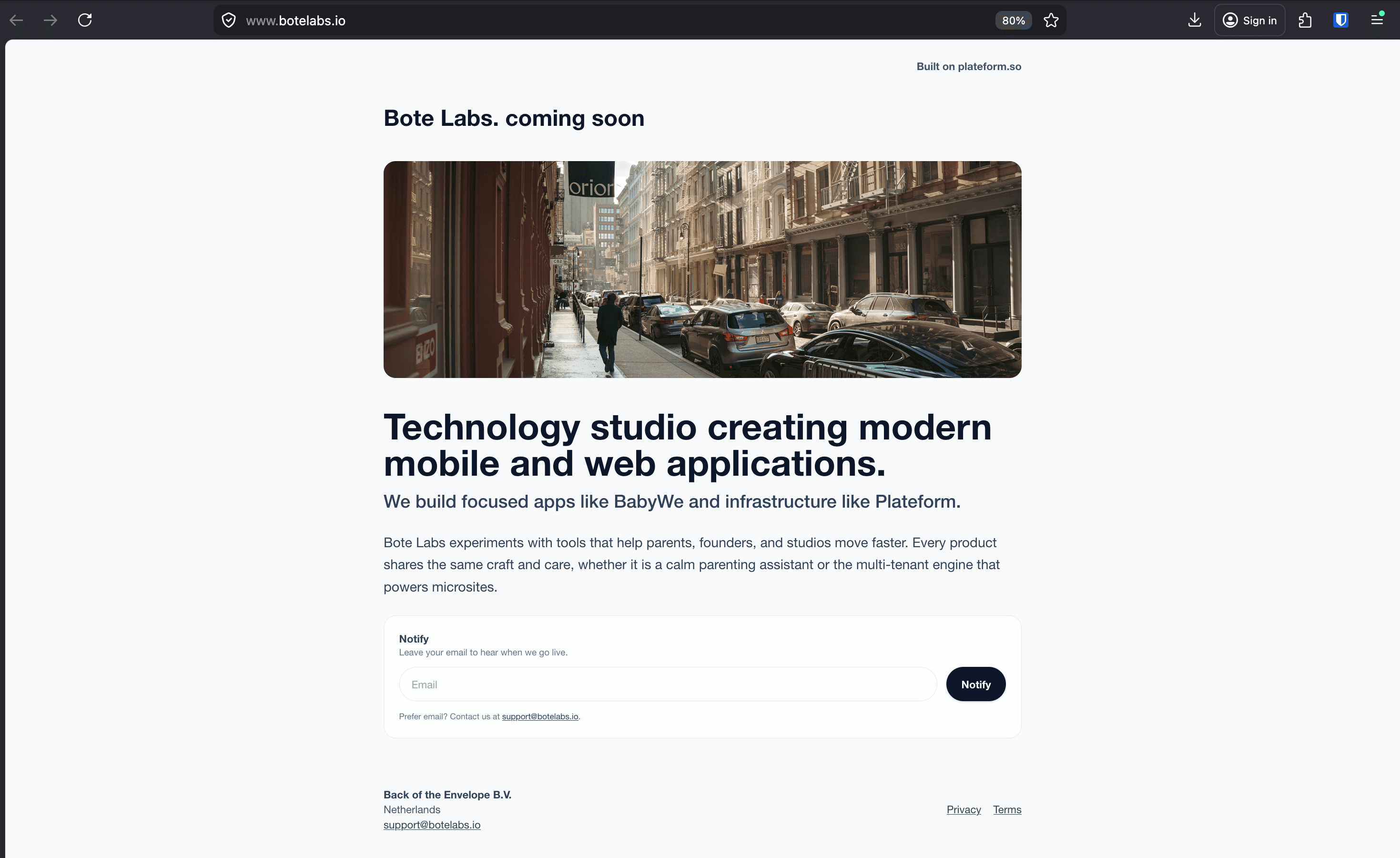
A real coming-soon page in production on Plateform. Same template you'll get when you sign up.
How it works
From nothing to a live placeholder in five steps.
- 1Sign up with your email — no credit card needed.
- 2Pick the coming-soon template (or maintenance, if that’s the situation).
- 3Write your headline, set the launch date, add an optional email signup.
- 4Hit publish — your holding page is live on a real URL immediately.
- 5Connect your own domain so the placeholder shows on yourdomain.com from day one.
What's included
Everything a placeholder page actually needs.
A countdown that actually counts
Set a launch date and the page shows a live countdown. No third-party widget to install, no script to paste.
Optional email signup so the wait isn’t wasted
Visitors who land before launch can leave their email. You arrive at launch day with an audience already lined up.
Privacy and terms ready by default
Collecting any email means you need a privacy policy. Both pages ship with every Plateform site — already linked from the footer.
Custom domain so the holding page lives where the real site will
Point yourdomain.com at the coming-soon page now. When you launch, swap the template — the URL stays the same.
FAQ
Common questions.
What is a coming soon page?
A coming-soon page is a single-page placeholder published at a domain before the real site or product is ready. It usually shows a headline, a brief description, an optional countdown to launch, and an optional way to leave your email — so visitors who arrive early have something to do besides bouncing.
When should I put up a coming soon page?
As soon as you have a domain, even if the product is months away. It locks in the URL, captures interested visitors, and sends a clearer signal than a blank page or a parked-domain placeholder. Useful any time you’ve told someone about the project before you’ve built the public site.
Should I collect emails on a coming soon page?
If you have any way to follow up — a launch announcement, an early-access invite — yes. The conversion rate from coming-soon visitors to launch-day customers is much higher than cold traffic. If you have nothing to send, skip the form so visitors don’t leave their address into a black hole.
Can I switch from the coming soon page to the real site without losing the URL?
Yes. Plateform lets you change templates while keeping the same URL and domain. So when launch day arrives, the page goes from a countdown to your full landing page, resume, or whatever you’re shipping — without breaking links you’ve already shared.
Related
Other situations Plateform fits.
Ready to publish?
Free to start. Your placeholder is live on a real URL the moment you hit publish.